Map calls dropped but the website didn't change? 11 causes outside your site, from suggested edits to spam listings, with...
Read More
Map calls dropped but the website didn’t change? 11 causes outside your site, from suggested edits to spam listings, with how to check and fix each.

SEO & Growth Strategist · 10+ years experience
Share this article
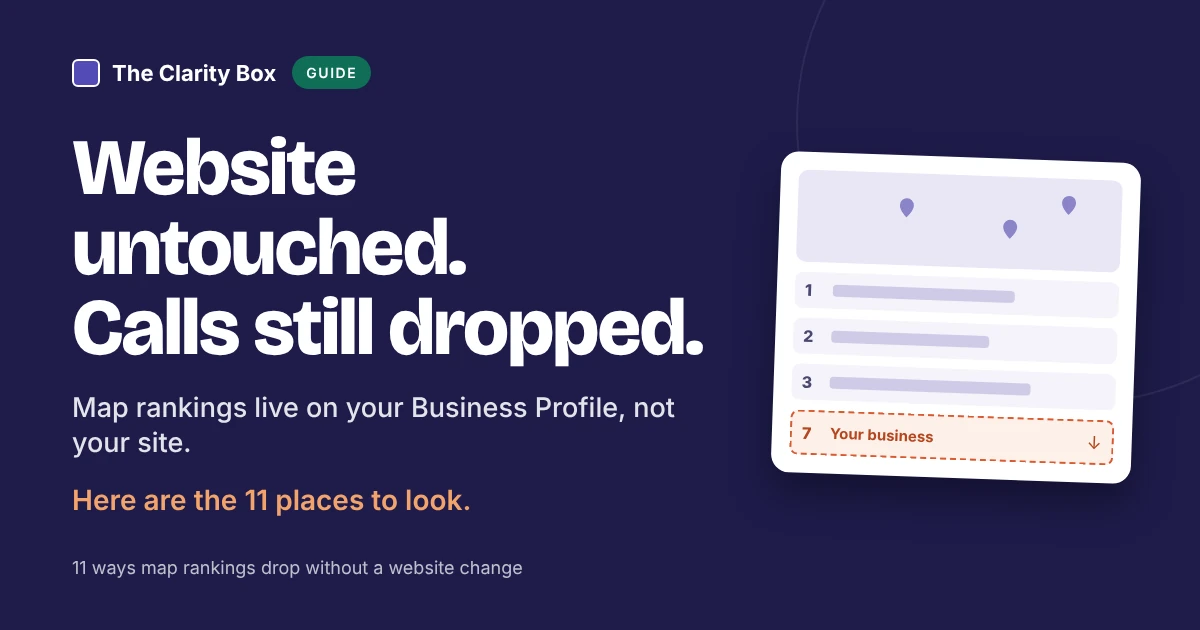
The website hasn’t changed in months, yet the calls from Google Maps have dropped. That’s less strange than it sounds. Your position in the map results depends mostly on your Business Profile, your reviews, and where the searcher is, and all three can change without anyone touching the site. Google also accepts suggested edits from the public, and gives owners four days to reject them.
Key takeaways
Check your Performance report before you change anything. A feeling that “the phone is quieter” can come from a slow season, a missed call, or a real fall in visibility, and each needs a different response.
Two caveats from Google: views count unique visitors and may be lower than other counts you see, and the report includes both organic results and Google Ads.
Key point: decide which number fell (views, calls, or directions) before you look for a cause. It narrows 11 possibilities to two or three.
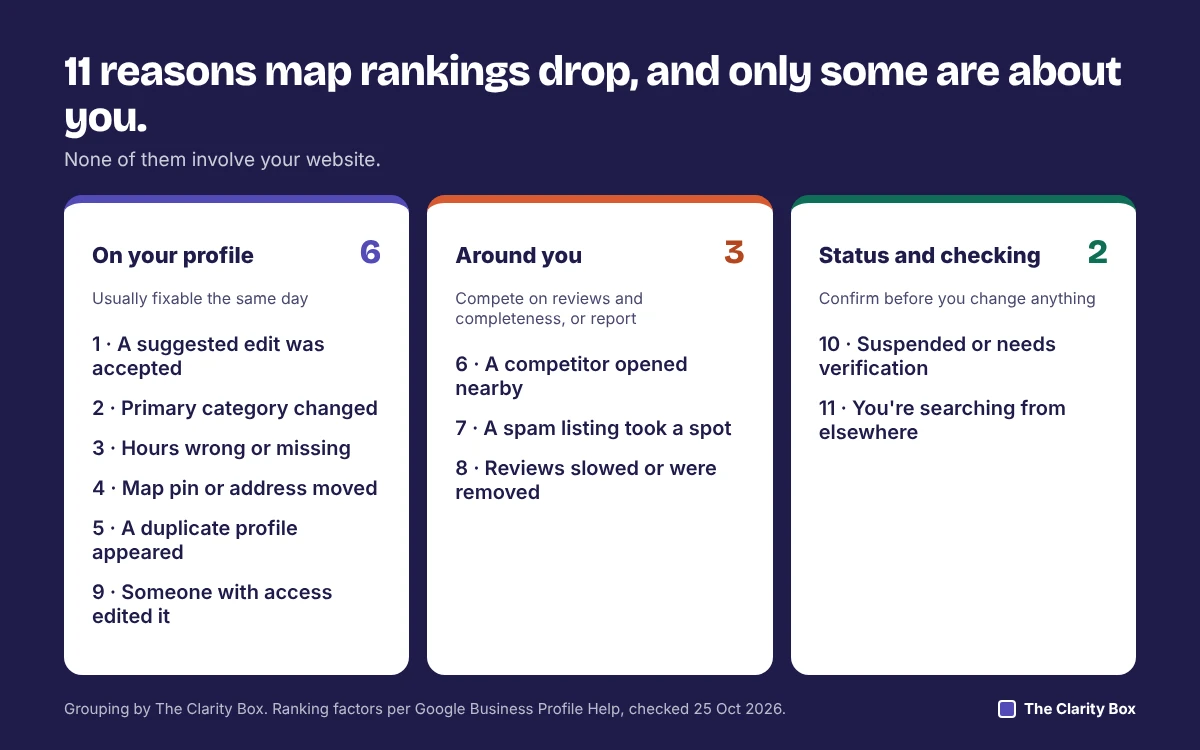
Google says local results are based mainly on relevance, distance, and prominence (Google Business Profile Help). Each cause below touches one of the three.
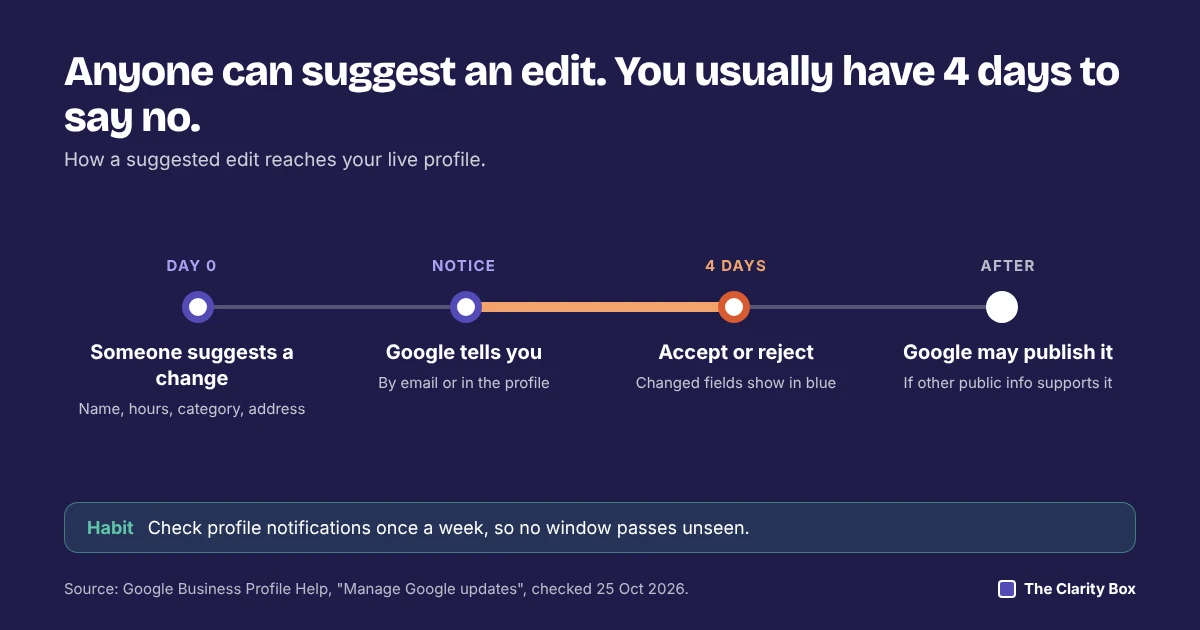
Anyone can suggest a change to your profile. Google’s help page on updates says owners usually get four days to accept or reject a suggestion, after which Google may publish it if other public information supports it.
The category tells Google what kind of business you are, which drives relevance. A change, by you, a colleague, or an accepted edit, can move you out of the searches you used to appear for.
Google says businesses with complete and accurate information, including special hours, are more likely to show up in local results. Wrong hours can also show you as closed when you’re open.
Distance is measured from your location. A pin dragged to the wrong spot, or an address reformatted by an edit, changes who you are “near”.
Google allows one profile per location. A second listing, from an old address, a former owner, or someone else’s suggestion, can split reviews and attention between two places.
A new business close to where your customers search can take one of the three map spots without you doing anything wrong. This is distance and prominence working as designed.
Fake listings, keyword-stuffed names, and fake addresses do appear in map results. They push real businesses down.
Google says more reviews and positive ratings can help local ranking. A pause in new reviews, or reviews removed by Google’s spam filters, weakens prominence over time.
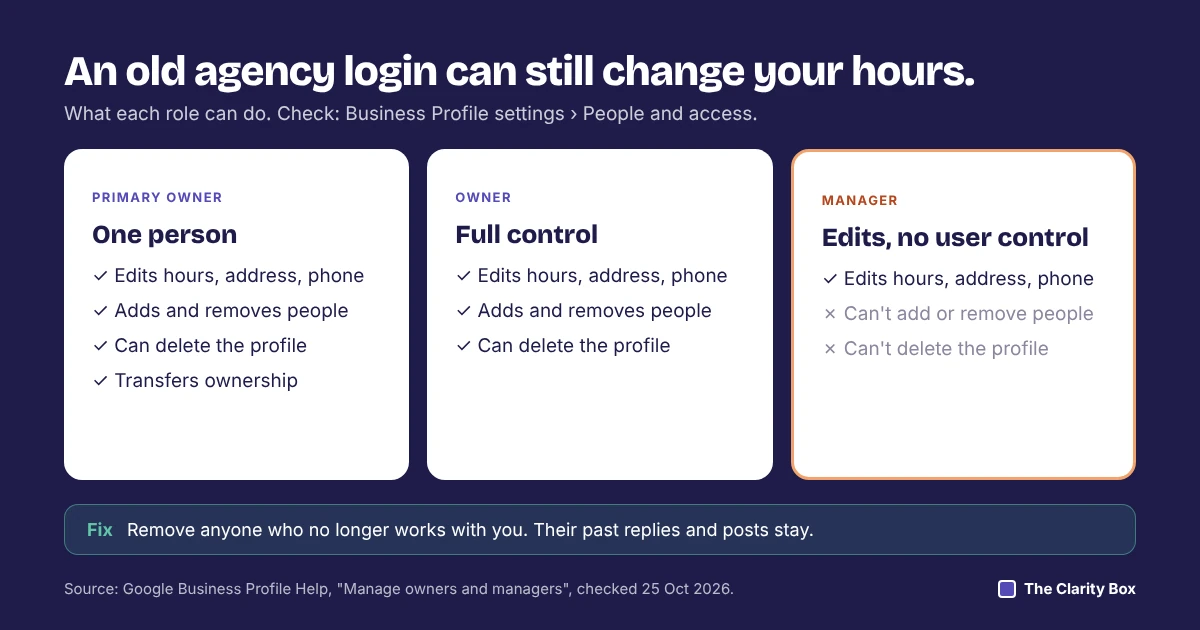
Former staff, a past agency, or a web designer may still be an owner or manager. Google’s roles page says managers can edit hours, address, phone number, and services.
A suspended profile disappears from the public; an unverified one may not appear across Google.
Google says distance is measured from the searcher, or from where Google thinks they are. Ranking well at your office and poorly across town is normal.
Key point: causes 1 to 5 and 9 are mistakes on your profile and can usually be fixed the same day. Causes 6, 7, and 11 are about the market around you.
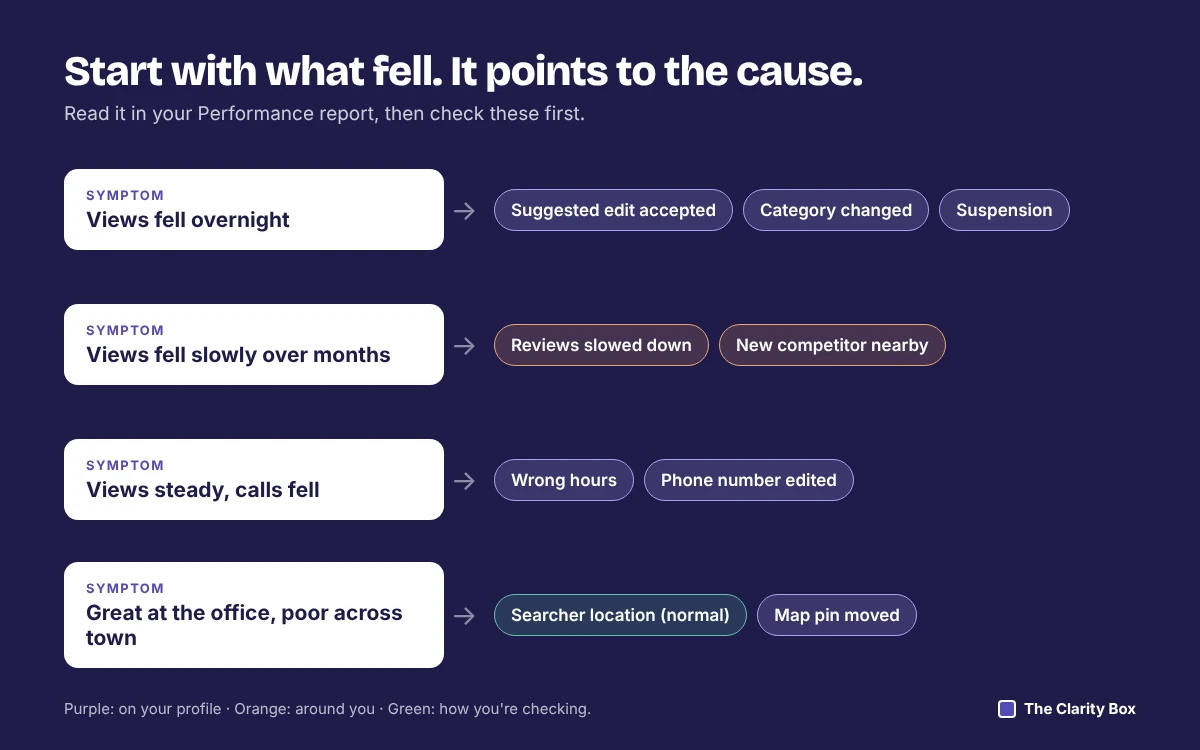
Start with what you see, then check the likely causes in order.
| What you see | Most likely causes to check first | Fastest check |
|---|---|---|
| Views fell suddenly, overnight | 1 suggested edit, 2 category change, 10 suspension | Profile editor notifications and blue fields |
| Views fell slowly over months | 8 review slowdown, 6 new competitor | Reviews in the last three months vs a year ago |
| Views steady, calls fell | 3 wrong hours, 1 edited phone number | Hours and phone number on the live profile |
| You rank well at the office, poorly across town | 11 searcher location, 4 pin moved | Search from where customers are |
| A business you don’t recognize now ranks above you | 7 spam listing, 6 new competitor | Look at its name, address, and street view |
| Reviews or photos appear on a second listing | 5 duplicate profile | Search Maps for your phone number |
| Details changed and nobody remembers changing them | 9 someone with access, 1 suggested edit | People and access list |
Most of these checks take five minutes in the profile editor or on Maps.
Google’s ranking factors and rules are the same in Canada as anywhere else. Three Canadian details are worth checking:
For US and UK businesses, the same checks apply. Swap in your own public holidays and address conventions.
If you’d rather work through the causes yourself, our study of 7,090 Canadian searches shows why it’s worth the time: the map appeared on 87.8% of “near me” searches. For help beyond the profile, see our local SEO services or start from our homepage.
A sudden drop usually follows a change to the profile: a suggested edit Google accepted, a new primary category, or a suspension. Open the profile editor first. Google shows fields it changed in blue, with a notification at the top.
Anyone can suggest an edit. Google says owners usually get four days to accept or reject it, after which Google may publish it if other public information supports it. Check notifications at least weekly.
It can. The category is how Google understands what kind of business you are, so a change moves you toward some searches and away from others. Change it only when the new category describes your core business better.
Use Suggest an edit on their listing in Google Maps. For serious or repeated spam, Google has a Business Redressal Complaint Form. Stick to facts you can show, such as street-level photos of the address.
Google's help page on local ranking doesn't list posts as a factor. It does say complete, accurate information helps, and photos help customers understand what you offer. Treat posts and photos as conversion tools first.
No. Google says there's no way to request or pay for a better local ranking. Ads appear separately and are labeled.
Share this article
We’ll go through the 11 causes against your profile and tell you which ones apply, with the fix for each.
Saba is an SEO and growth strategist with over 10 years of experience in SEO, content strategy, and digital marketing. She writes about organic growth, content optimization, technical SEO, and AI-powered search, translating complex concepts into practical, data-informed insights that help businesses make smarter marketing decisions.
Map calls dropped but the website didn't change? 11 causes outside your site, from suggested edits to spam listings, with...
Read MoreWhy Google suspends Business Profiles, what to fix first, and how to use your one appeal: the steps, the evidence...
Read MoreEvery AI search article quotes a different number. Here are 20, each traced to its study, with the sample, date,...
Read More