Map calls dropped but the website didn't change? 11 causes outside your site, from suggested edits to spam listings, with...
Read More
Why Google suspends Business Profiles, what to fix first, and how to use your one appeal: the steps, the evidence Google accepts, and what not to do.

SEO & Growth Strategist · 10+ years experience
Share this article
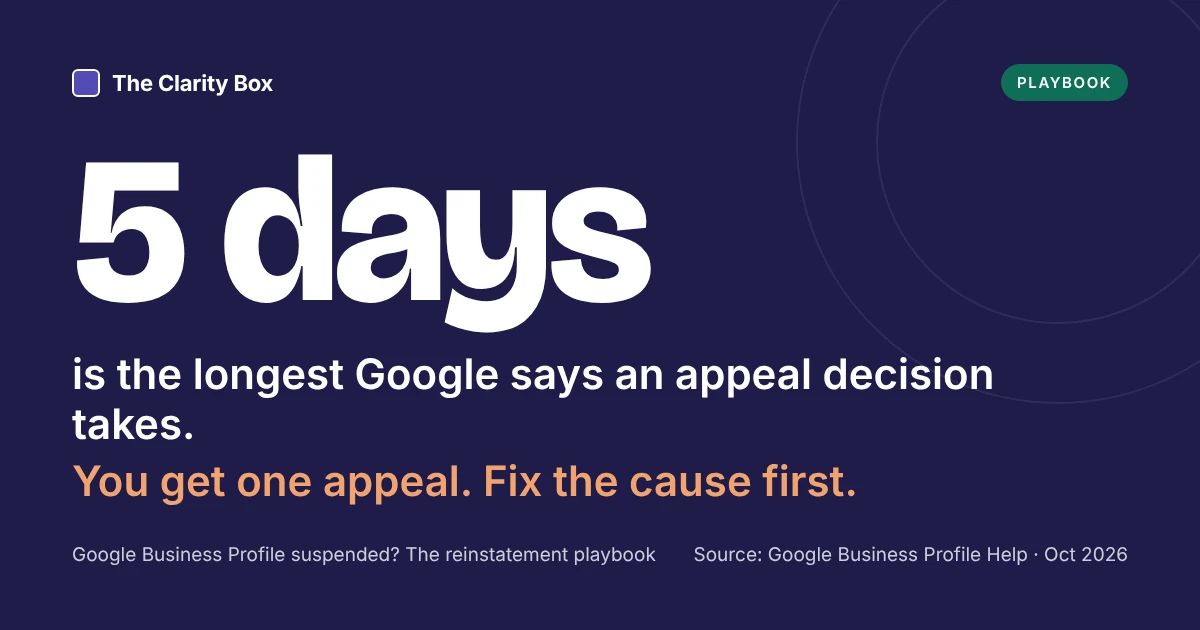
On Monday the phone rings as usual. By Wednesday it has gone quiet, and your business has disappeared from Google Maps. A suspended Business Profile can’t be seen by customers, and you can’t edit it. Google gives you one appeal, which its help page says can take up to five business days to decide. Here is how to find the cause, fix it, and use that appeal well.
Key takeaways
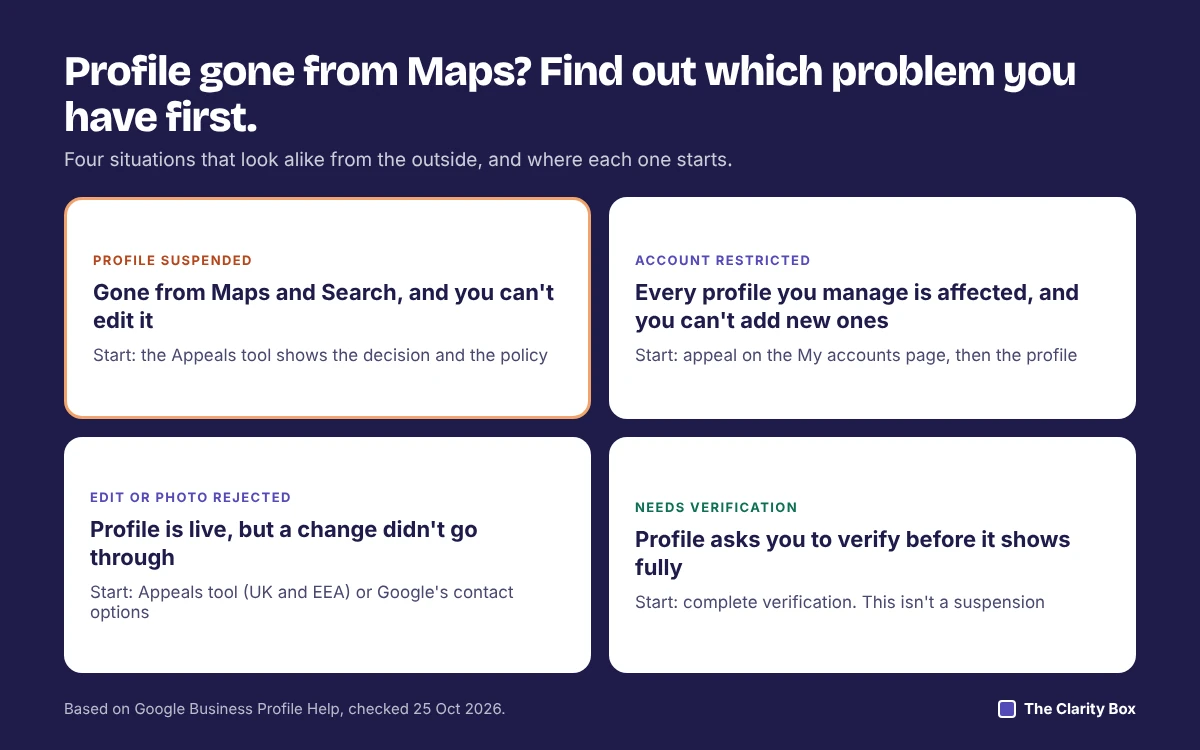
Check before you act, because the fix depends on what was restricted. Google’s help page for suspended profiles separates a problem with one profile from a problem with your whole Google Account.
| What you see | What it usually means | Where to start |
|---|---|---|
| The profile is gone from Maps and Search, and you can’t edit it | The profile is suspended or disabled | Google’s Appeals tool, which shows the decision and the policy behind it |
| You can’t create or claim any profile, and all of yours are affected | Your Google Account is restricted | Appeal the account restriction on the My accounts page first, then the profile |
| The profile is live, but an edit, photo, or post was rejected | A content decision, not a suspension | The Appeals tool in the UK and EEA; Google’s contact options elsewhere |
| The profile shows, but asks you to verify | Verification is pending or lapsed | Complete verification; this is not a suspension |
Key point: open the Appeals tool before you change anything. It shows the date of the decision and the policy Google says you broke, which tells you what to fix.
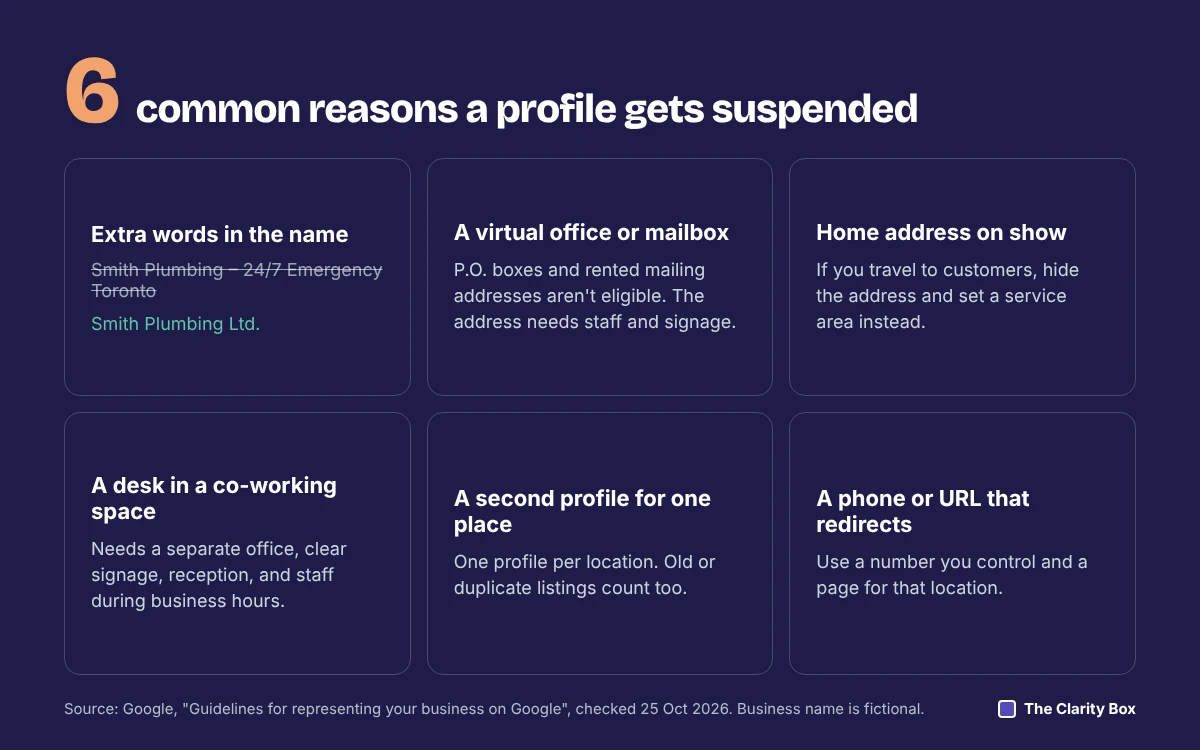
Often because something on the profile was already outside Google’s guidelines, even if it had been that way for years. Google doesn’t say what prompts each review, but it says profiles can be suspended for not following its guidelines for representing your business. These are the rules most often involved:
| Likely trigger | What Google’s guidelines say | How to check yours |
|---|---|---|
| Extra words in the business name | Unnecessary information in the name isn’t permitted: no taglines, locations, phone numbers, or keywords | Compare the profile name with your signage, invoices, and registration. They should match word for word |
| An address that isn’t a real, staffed place | P.O. boxes and remote mailboxes aren’t acceptable, and virtual offices are ineligible | Ask: do customers or staff use this address during business hours, and is there permanent signage? |
| A co-working space | Needs a separate office with clear signage, customer reception, and staff present during business hours | A desk in a shared space usually won’t qualify |
| A service-area business showing its address | If you travel to customers and don’t have a staffed storefront, hide the address | Home-based trades and mobile services should show a service area, not a street address |
| A service area that is too large | Service areas should generally stay within about two hours’ drive of your base | Trim regions you don’t regularly serve |
| More than one profile for the same place | One profile per business location, in one account or several | Search Maps for your name and phone number; look for an old or duplicate listing |
| Phone number or website that redirects | Numbers and URLs must belong to that location and not refer users elsewhere | Use a number you control directly and a page for that location |
| Categories used as keywords | Use as few categories as possible, and never as keywords | Keep the primary category to what you actually are |
Key point: most suspensions are about eligibility, not quality. The question Google is asking is whether this is a real business, at a real place, presented the way it appears in the real world.
Two more things to check: whether your type of business is eligible at all (Google lists sales associates and lead-generation agents for larger companies as ineligible), and any recent edit to the name, address, or category, since Google moderates those changes.
The cause, and only the cause. Google’s help page asks you to confirm the profile follows all guidelines before you submit, and an appeal for a profile that still breaks a rule is unlikely to succeed.
Key point: you get one appeal per decision. Spend a day getting the evidence right rather than submitting the same afternoon.
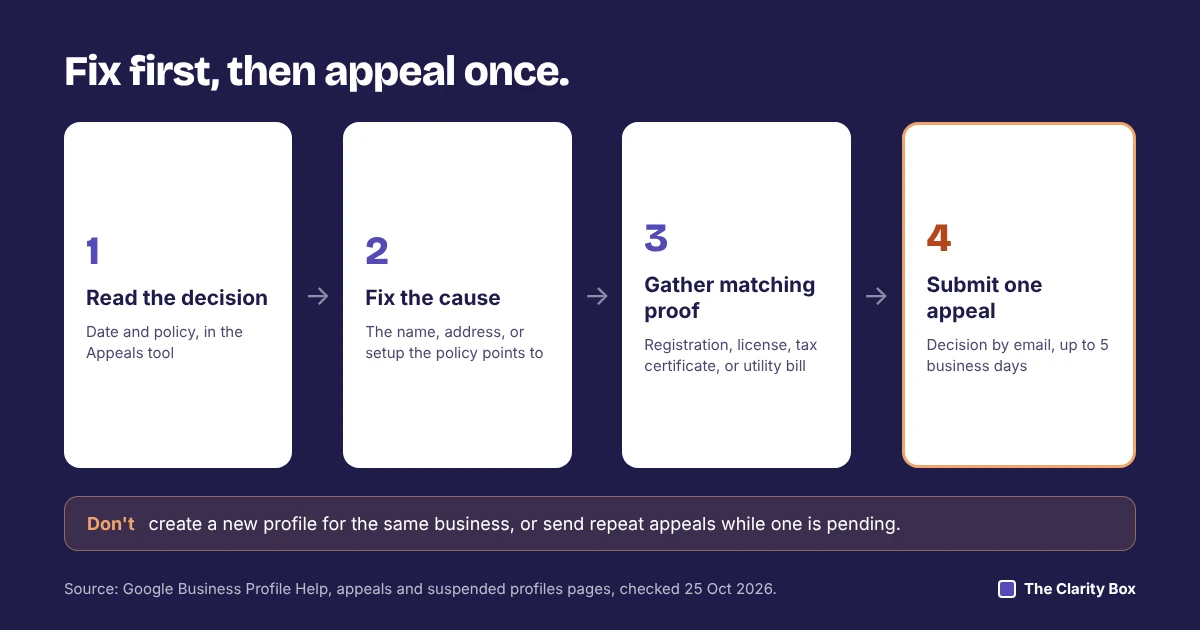
Through Google’s Appeals tool, once the cause is fixed. These steps follow Google’s appeals help page, checked on 25 October 2026.
Evidence Google lists
| Document | What it proves | Tip |
|---|---|---|
| Official business registration | The legal business name | Use the current version, not an old filing |
| Business license | You’re allowed to operate at that address or in that trade | A local license tied to the address is the most specific |
| Tax certificate | The business is active and registered | Hide account numbers that aren’t needed |
| Utility bill (electricity, phone, water, internet) | The business occupies the address | A recent bill in the business’s name, not a personal one |
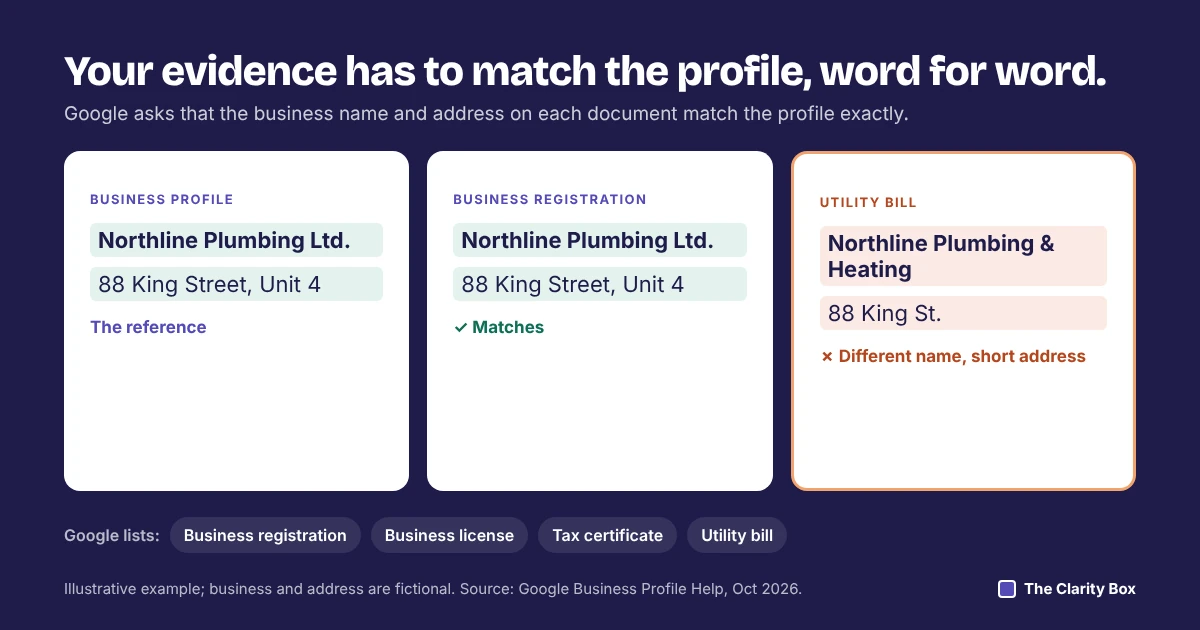
Photos of permanent signage and the entrance aren’t on Google’s list, but they support the address documents.
What to write in the text box: three or four plain sentences. State what the issue was, what you changed, and which documents prove it. For example: “Our profile name included the service area. We changed it to our registered name, Northline Plumbing Ltd., which matches the attached registration and the signage photo.”
If you manage 10 or more suspended locations, answer Yes to the bulk reinstatement question and attach a spreadsheet with each Business Profile ID.
Google reviews it and emails you the decision. Its appeals page says reviews can take up to five business days, and the Appeals tool shows the status as it moves.
| Status in the Appeals tool | What it means | What to do |
|---|---|---|
| Submitted | The appeal is in the queue | Wait. Don’t send another appeal for the same decision |
| Approved | The profile is reinstated | Check the name, address, hours, and categories are as you left them |
| Not Approved | The suspension stays | Read the reason. If you have new evidence, Google says you may ask for an additional review |
| Can’t be appealed | This decision isn’t eligible for the tool | Use Google’s Business Profile contact options |
Three things not to do while you wait
Key point: a rejected appeal isn’t always the end. New evidence, such as a corrected registration or a lease for a staffed office, is grounds for another review.
Once the profile is back, keep it clean. Our guide to removing fake or unfair Google reviews explains why asking staff or family for reviews can put a profile at risk again. If rankings slip after reinstatement, our list of 11 ways local businesses lose Google Business Profile rankings shows what else to check.
The guidelines and the appeal steps are the same everywhere. Two things change: what the Appeals tool can handle, and which documents prove your business is registered.
| Canada | United States | United Kingdom | |
|---|---|---|---|
| What the Appeals tool covers | Suspended or disabled profiles. Rejected edits and removed photos go through Google’s contact options | Same as Canada | Suspended or disabled profiles, plus rejected edits and restricted posts, photos, and videos |
| Extra routes | None listed by Google | None listed by Google | Google says UK and EEA residents may have additional redress options |
| Typical registration proof | Provincial or federal business registration, such as a provincial business name registration or federal incorporation documents | State business registration or articles of organization, and a local business license where your city or county issues one | Companies House registration for limited companies; sole traders often rely on utility bills and HMRC letters |
The Appeals tool scope comes from Google’s appeals help page. The registration examples are common documents, not a Google list; whatever you send, the name and address must match the profile.
Once the profile is back, our search study of 7,090 Canadian searches shows why it matters: the map appeared on 87.8% of “near me” searches. For a wider look at where your profile stands, see our local SEO services.
The profile may have been outside Google's guidelines for some time. Common causes are extra words in the business name, an address that isn't a staffed location, or a service-area business showing a home address. The Appeals tool shows which policy Google applied.
Google's appeals page says reviews can take up to five business days. You get the decision by email, and the Appeals tool shows the status.
Google says each appeal can only be submitted once and asks you not to send repeats while one is pending. If it is rejected and you have new evidence, Google says you may ask for an additional review.
It can. Google's guidelines say a business that travels to customers and doesn't serve them at its address should hide the address and show a service area instead.
Google's help pages don't say. What is clear is that creating a new profile for the same business breaks the guidelines, and a new profile would start with no reviews.
Anyone can suggest edits or report a profile, but Google suspends profiles for breaking its guidelines. A profile that follows the rules gives a report nothing to act on, and the Appeals tool is there if a decision is wrong.
Share this article
You only get one appeal per decision. Send us the decision from the Appeals tool and your documents, and we will tell you whether the cause is fixed and the evidence matches, before you submit.
Saba is an SEO and growth strategist with over 10 years of experience in SEO, content strategy, and digital marketing. She writes about organic growth, content optimization, technical SEO, and AI-powered search, translating complex concepts into practical, data-informed insights that help businesses make smarter marketing decisions.
Map calls dropped but the website didn't change? 11 causes outside your site, from suggested edits to spam listings, with...
Read MoreWhy Google suspends Business Profiles, what to fix first, and how to use your one appeal: the steps, the evidence...
Read MoreEvery AI search article quotes a different number. Here are 20, each traced to its study, with the sample, date,...
Read More